
Some of my favorite content to peruse on social media are “Tools I Use as a UX Designer” or “My UX Desk Setup” posts. Seeing as I’m constantly hunting for ways to improve my workspace and efficiency, gathering suggestions and adding everything I find useful to my Amazon cart or Apple subscriptions has honestly become a way of life. In this post, I detail some gems I’ve discovered; hopefully anyone seeking recommendations can find something suitable too!
THE DESK SETUP
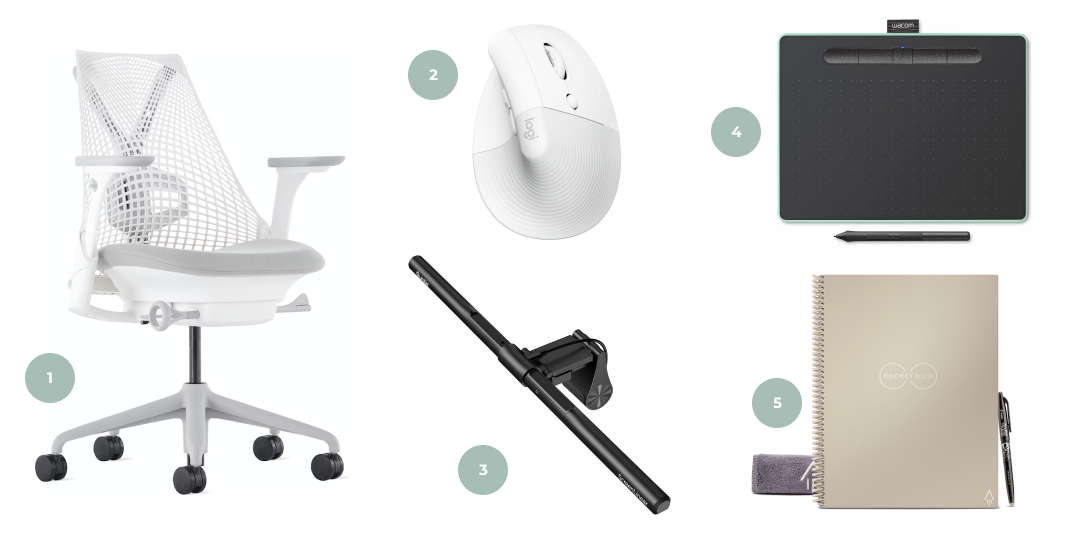
- Ergonomic chair: First and foremost, I swear by ergonomic chairs since I spend much of my day at my desk. Having one decidedly reduced back aches resultant from my poor posture. Herman Miller makes superior office chairs; I personally own and use the Sayl. While their chairs are admittedly pricey, they are worth the cost for their overall superior ergonomics.
- Ergonomic mouse: Recently, I began noticing pain in my wrist whenever I worked at my desk for longer stretches of time. To prevent potential onset of carpal tunnel syndrome, I purchased an ergonomic mouse – the Logitech Lift. The mouse ensures that my wrist is in a relaxed position while I design, thereby reducing strain from overuse.
- Monitor light bar: With two monitors, a keyboard, mouse, microphone, and laptop on my desk already, adding a desk lamp seemed unfeasible. However, I was in dire need of better lighting. So, I found a monitor light bar by Quntis which I could affix to my main screen. It solves my eye strain issues and provides adequate visibility without taking up any space.
- Tablet: A small tablet has proven invaluable for when I need to sketch ideas, edit photographs, or modify scans. The one I have is by Wacom: the Intuos BT. It is a fairly inexpensive option and doesn’t take up much room on my desk, where real estate is a premium. As an added bonus, the tablet runs via BlueTooth – no messy cables!
- Rocketbook: A few weeks back, I discovered Rocketbook and it is such a nifty concept! Essentially this notebook emulates the feel of pen on paper, but still makes all your writing available digitally. As someone who prefers analog note-taking during meetings, I appreciate the convenience of being able to quickly scan in what I drafted (especially wireframes). Additionally, each sheet of paper is reusable since it simply wipes clean, thus making the notebook environmentally friendly.
SOME USEFUL SOFTWARE
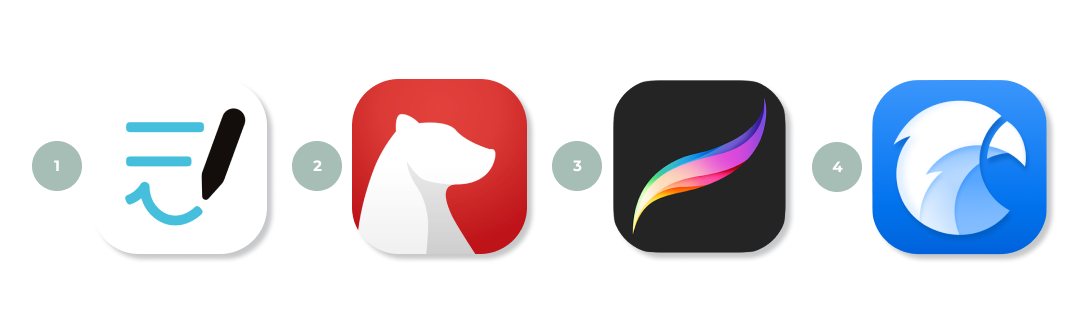
- Goodnotes: Goodnotes is an incredibly versatile app which lends itself well to a variety of uses. For example, you can create an agenda, a diary, or even a scrapbook! I have numerous notebooks dedicated to career, personal growth, and hobbies.
- Bear: I’ve been using Bear since 2019 for all of my digital note-taking needs, whether it’s ideas for a new portfolio project or captions for my social media posts. The app boasts a simple, fuss-free interface which makes note-taking and documentation straightforward.
- Procreate: Though I originally purchased this app for my illustration work, Procreate can effectively be repurposed for UX design as well. I create drawings for storyboards and have the ability to generate other such graphics for my portfolio case studies with it.
- Eagle: Another app that I downloaded for my illustration work, Eagle is a means to organize reference images. I have a veritable treasure trove of inspiration and reference pictures, both for art and design. So I configured this program to function as a more focused version of Pinterest.
TO CONCLUDE
Curating my workspace to fit my needs and lifestyle gives me great joy, so writing this post allowed me to share some of that zeal with you all. I’m forever on the quest to improve my environment, so I’m sure that I’ll uncover more gadgets and gizmos in the future.
Do you have any recommendations? I’d love to know! Please feel free to share your thoughts in the comments section down below.
Disclaimer: None of the items linked in this blog post are sponsored.
 Neha Pasnoori | Blog
Leave a comment