
This year, I built my own custom PC for the first time. Doing so was a huge process and a daunting journey to undertake, but I persevered and accomplished it. Like all journeys, this endeavor involved multiple steps, and I myself as a user/consumer experienced a multitude of emotional highs and lows while building. This rings true for all kinds of goals; creating/analyzing these user/consumer journeys is a component of UX design – known as the journey map.
Journey Maps
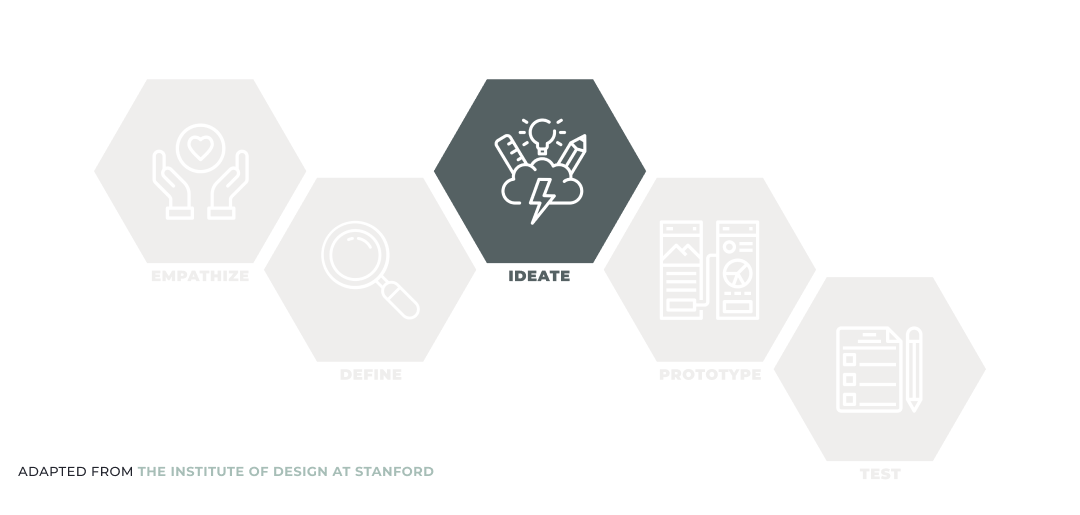
Journey maps and journey mapping are part of the Ideate phase of the user-centered design process. Alongside ideation, which I touched upon in my previous blog post, they help the design team move forward with concrete concepts which they can utilize in the Prototype phase.
What are They?
According to Paul Boag’s Smashing Magazine article, All You Need To Know About Customer Journey Mapping, the journey map effectively communicates the frustrations and experiences of the customer/user. Essentially it tells the story of the user’s experience “from initial contact, through the process of engagement and into a long-term relationship”. Most importantly, journey maps identify key interactions that a user has with a product. They convey the user’s feelings, motivations, and questions for each of these touchpoints.
Oftentimes, journey maps provide a sense of the user’s greater motivation. They help identify pain points that users may experience. These might include:
- Gaps between devices – when a user moves from one device to another
- Gaps between departments – where the user might get frustrated
- Gaps between channels – when a user thinks interactions could be better
In essence, journey maps put the user front and center.
The Journey Map Components
Megan Grocki details the components of a journey map in her UX Mastery article, How to Create a Customer Journey Map:
- Personas – Who the journey map is about; a fictional point of view that is derived through user research. A persona illustrates the needs, goals, thoughts, feelings, opinions, expectations, and pain points of the user.
- Timelines – A period of time that can be finite (such as a single week or a whole year) or variable (such as awareness, decision-making, renewal, etc.).
- Emotions – Signals the “ups” and “downs” of the user’s psyche. They are peaks and valleys which illustrate a multitude of moods such as frustration, anxiety, happiness, etc.
- Touchpoints – The user’s actions and interactions with a product. This is what the user is doing. Normally, touchpoints are high level stages.
- Channels – Where interaction takes place, and the context of use. This where the user is interacting with the product.
How to Create A Journey Map
Journey maps can be created in various different ways. Usually, it is an infographic with a timeline of the user’s experience, whether rendered digitally in programs such as Figma, or drawn on a whiteboard and accented by sticky notes. Regardless of the format, the main goal is to keep the user in the front and center of people’s minds.
Here are a few examples:
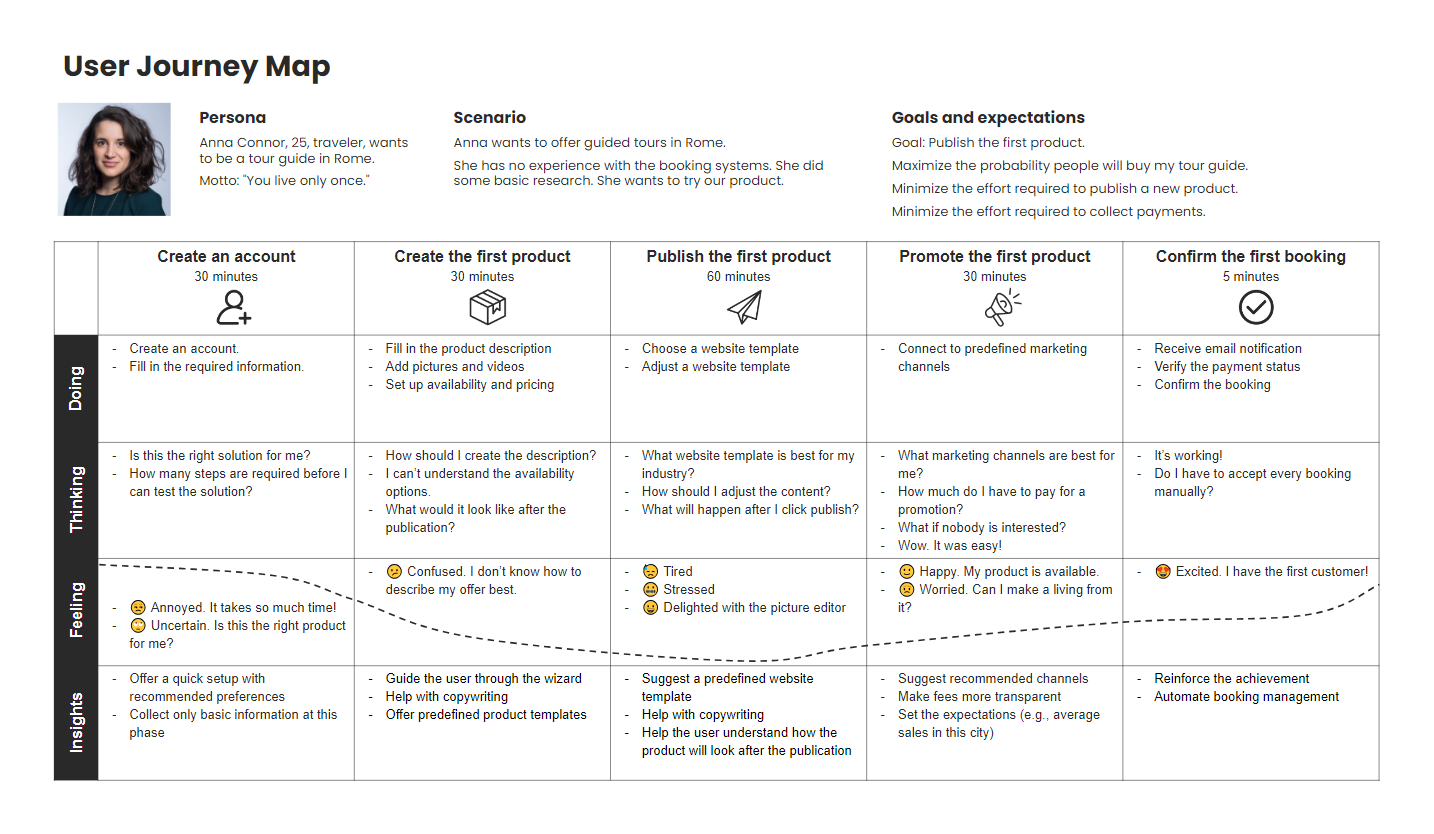
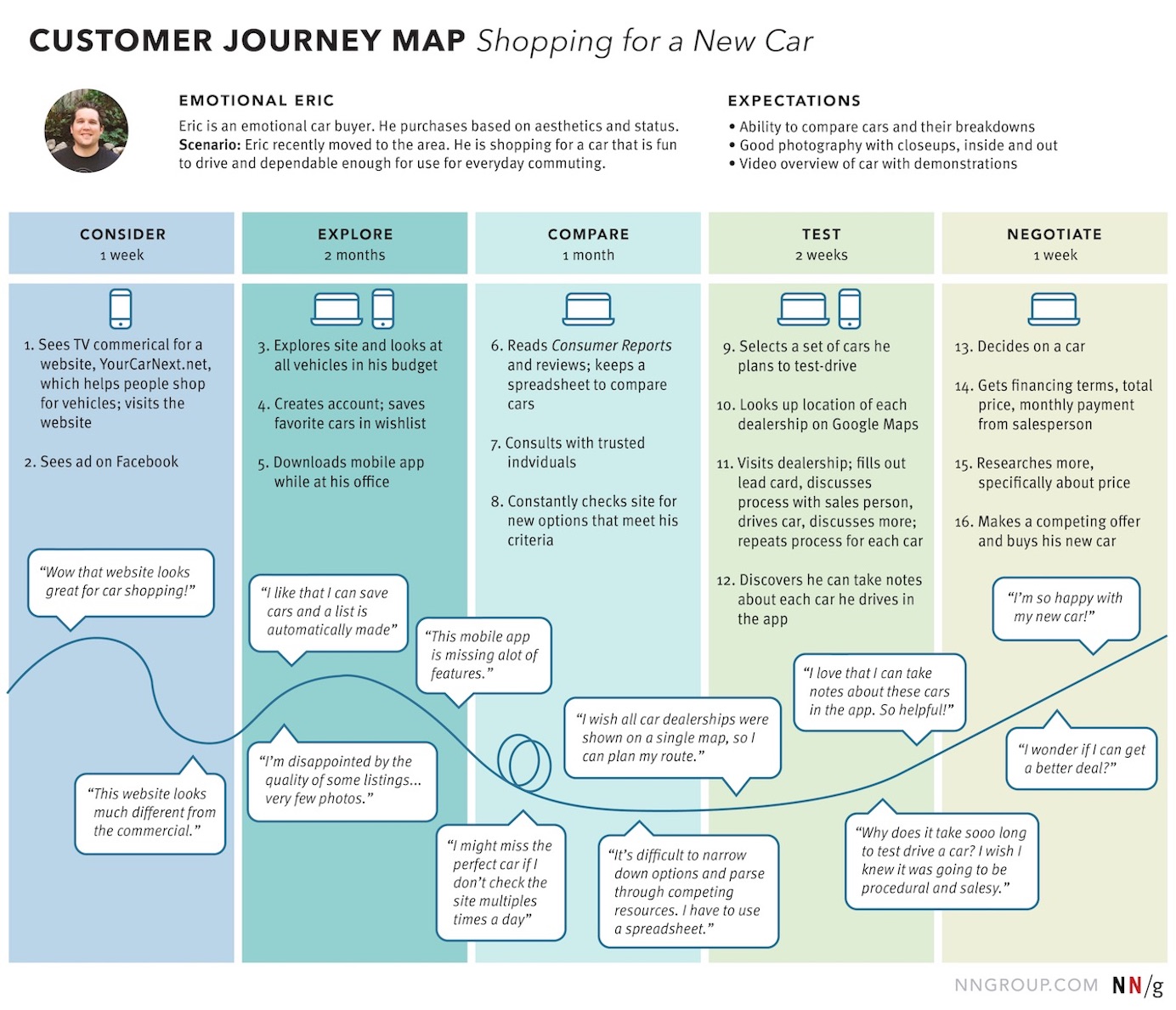
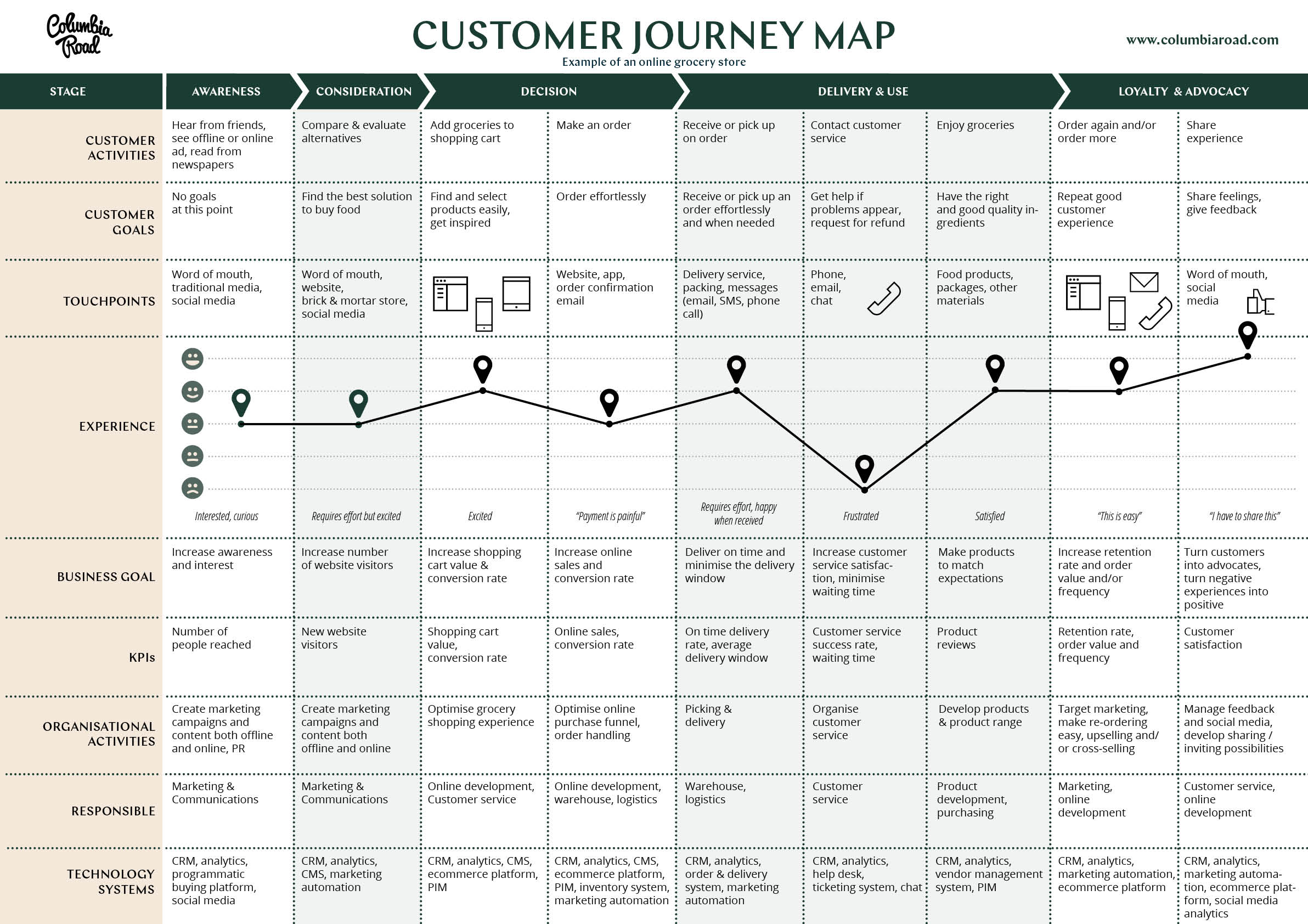
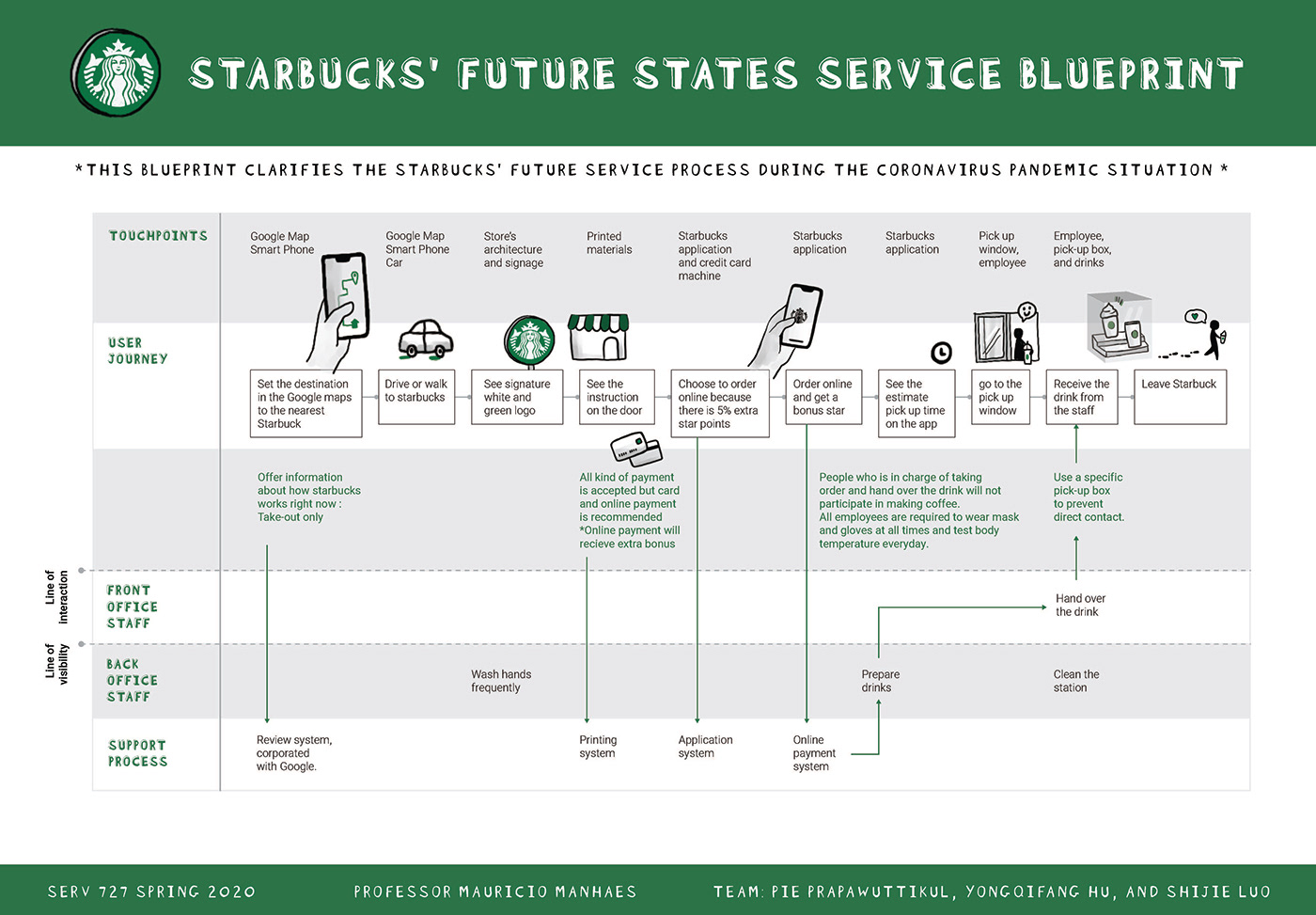
[Source 1], [Source 2], [Source 3], [Source 4]
The Assignment

This week, I created a journey map of my own, focusing around the topic of building a custom PC. Since I have experienced this process for myself, I thought it would be interesting to go through it again and analyze user emotions/experiences from another perspective.
Background
Building a custom PC can be beneficial for a variety of reasons. Whether is’s building a machine capable of handling multiple creative processes such a video editing, animation rendering, and massive print illustrations, or a juiced up gaming system with the best graphics and sound quality, it can cater to any user preference.
In this case, this journey map will take a look at Rani, who wishes to build a custom PC of her own, but has no experience in the area. The map chronicles the steps she takes to achieve her goal, as well as her emotional high/lows, pain points, and potential areas of improvement in the building process itself.
Persona

Rani is a passionate digital artist, and used to juggle a corporate 9-5 job with her illustration commission side gig. Recently she has quit her job and is taking the steps to pursue a full-time illustration freelance job. She hopes to build up her own brand and open a web shop with both digital and physical merchandise featuring her art.
To improve her art work process, Rani has decided to build a custom PC. She believes that a custom PC will additionally allow for more creative opportunities such as livestreaming her art, editing tutorial videos, and setting up an online store. She isn’t quite sure where to start, but knows that this decision will ultimately improve her quality of life as a full-time artist.
Timeline






- Contemplation – Rani starts here. She comes to the realization that the computer equipment she currently has isn’t well suited for her art work process, and she needs better processing speed, memory, and overall processing power. So she starts to look into building her own custom PC, and where she would allocate it within her home.
- Research – As Rani becomes more acquainted about what a custom PC entails, she lists down the specifications that she requires. She decides what kind of monitor, what size case, the RAM she needs, storage, etc. She is able to consult with her friends, online tutorials, and social media about setup, installation, and optimal pricing.
- Purchase – Once she finalizes the parts that she wants to purchase using online resource trackers and list builders, Rani puts in her order for all the pieces. She uses a variety of online electronics stores to do so, as well as retailers such as Amazon.
- Delivery – Over the course of the next few weeks, Rani receives her parcels of PC parts. She is able to track all of the pieces using text alerts on her phone. She keeps everything boxed until all the parts arrive.
- Assembly – After the final piece arrives and when Rani has a full free weekend to dedicate to building her PC, she begins. She watches tutorial videos to familiarize herself with the general layout, but it is still stressful when she realizes how delicate some components are, and how carefully she must handle them.
- Usage – Finally, after a full weekend, Rani has completed building her custom PC, and to her delight – it turns on and is functional! She sets up all the software she needs, and gets to work on her new machine. It ends up being much more efficient than her previous computer configuration and Rani finds herself able to illustrate as she likes.
Emotions

These were the following feelings that Rani experienced throughout the custom PC building process:
- Neutral – Indifferent, Unperturbed
- Confused – Lost, Overwhelmed
- Anxious – Nervous, Stressed
- Assured – Confident, Determined
- Proud – Successful, Relieved
- Satisfied – Content, Happy
Actions & Channels

Here are what Rani used to interact with while building her custom PC:
- IRL – talking with friends/family for help or advice.
- Socials – scrolling through social media and checking out custom PC builds to get a better sense of both aesthetic and functionality.
- Web – Google searches for popular and reputable resources, reviews, and tutorials on custom PC building.
- Mobile – Using her phone for parcel tracking, as well as finding tutorial videos quickly whenever she got stuck at a certain point.
- Pain Point – A point of contention for a user, ie. a difficulty they may experience while using a product.
Insights
Using Rani’s journey map, I was able to compile of list of opportunities in which to improve the custom PC building process:
- A more optimized PC part search tool – Rani has issues searching for the most optimal PC parts for her custom build, as it was difficult to find pieces that fit both her aesthetic sense and functionality needs. Thus, a tool which would be able to filter by both technical specifications and aesthetic value (such as color or material) would have been of great assistance.
- The ability to check prices across websites – To improve her search workflow, Rani could’ve been assisted more with the ability to check prices across a multitude of websites automatically.
- A tool to locate hard-to-find parts – PC parts like graphics cards are in high demand and tend to sell out quickly. However, there may still be retailers that sell them, even if more major stores have them in backorder. A tool to help locate these retailers would be a useful asset.
- A more specific SMS tracking system – Since many PC parts are so expensive, having the ability to track them more efficiently gives peace of mind. There should be something similar to a live tracking feed for more expensive package deliveries.
- Signing for package delivery – A lot of the time, parcels are placed at the front door and the owner may not be available to pick them up. Tying into the previous point, more expensive packages should require signatures, or the delivery driver can re-try the delivery at another point in time when the recipient is available.
- Video tutorials for specific PC part installation – Finding the right instructions to install a PC part into the motherboard can be quite challenging, since such a tutorial may not even exist. The manufacturers of PC parts should take care to create video tutorials and upload them on their YouTube channels instead of just a manual guide, as a practical demonstration would be helpful for users who are novices to PC building, like Rani.
- QR code which links to a technical lingo database – Alongside video tutorials, the manufacturers should include a QR code in the PC part manuals or on the packaging which links to a technical lingo database. This database can be universally shared by many other companies and manufacturers. It can be similar to something like Wikipedia.
Conclusion
Creating a journey map portraying the process of building a custom PC was an interesting experience. I had quite a few pain points and frustrations myself while I built my own, so it was satisfying to add my own experiences into Rani’s user journey. I empathize with all who build a custom PC for the first time, regardless of what they use it for, as it is arduous. However, the end results are extremely rewarding and worth it!
Downloadables
- Custom PC Journey Map: Download
 Neha Pasnoori | Blog
Leave a comment